
Dime Dime Baby CapCut Template: Where to Find It + a One-Photo AI Option
Where to find the Dime Dime Baby CapCut template, how to use it, the kinds of template (green screen, photo edits), what they can’t do, and how to make the video from one photo instead.
The short answer
Search “dime dime baby” or “bby wow” in CapCut’s Templates tab, or tap the CapCut label on a TikTok that used one. Templates are free and quick, but they differ: some put the original dancer over your clip (green screen), some cut your own photos to the sound. To be the one dancing in, biting the bread and turning away, make it from one photo with an AI video generator instead.
Make your own Dime Dime Baby AI video from one photo →The Dime Dime Baby trend pairs a 2025 party clip of a guy biting a concha with the “dime, dime, baby” line of KAROL G’s “BbY WOW”. The first thing most people try is a CapCut template. Here is how to find one, how to use it, and when an AI video is the better route.
Where to find the Dime Dime Baby CapCut template
There is no single official template. Creators make their own and upload them, so the list changes from day to day. Three ways to get one:
- From TikTok. Find a Dime Dime Baby video you like. If it was made with a template, there is a CapCut · Try this template label above the caption. Tap it and the template opens in CapCut.
- In the CapCut app. Go to Templates and search dime dime baby or bby wow. The number of uses shown on each template is a quick way to find the ones that work.
- On the web. CapCut’s Dime Dime Baby template page lists templates you can open on your phone.
Some templates only show up in certain countries, and some need CapCut Pro. If a template link opens nothing, it has usually been taken down; pick another one.
How to use a template, step by step
- Open the template and watch its preview to the end.
- Tap Use template.
- Add the photo or clip it asks for. Most want one clear, front-facing photo or a short clip of you.
- Let CapCut process it, preview, then tap Export and post straight to TikTok or save it to your phone.
It takes a minute or two. Most templates come with the sound; if yours does not, add “BbY WOW” in TikTok when you post.
The kinds of Dime Dime Baby template
Templates with the same name can do very different things. The preview tells you which kind it is:
- Green-screen meme edits. The original dancer, cut out of the party clip, is placed over your photo or video. You appear in the background; he still does the dance.
- Photo and clip edits. Your own photos or clips are cut to the sound, with zooms, text and effects on the beat. You are in it, but nobody does the routine.
- AI templates. Some templates use CapCut’s own AI effects on your photo. Results depend on the template, so check the preview and a few videos made with it.
What a CapCut template can and can’t do
- It is quick and usually free. Great for a joke you want to post in the next five minutes.
- It is usually his performance, not yours. In green-screen edits the dance, the bite and the stare are still the original clip.
- It reuses someone else’s video. Green-screen edits are built on a real person’s clip. Platforms tolerate meme edits, but that can change, and it is not something to use in an ad.
- Templates disappear. They get removed or stop working, often right when a trend peaks.
The other way: make it from one photo
If you want you to be the one dancing in, biting the bread and staring at the camera, an AI video generator is the simpler route. On the Dime Dime Baby AI page you upload one photo of one person, and the AI renders a new 10-second clip of the whole routine with your face, hair and outfit. It costs 10 credits, takes about 5 minutes, and failed videos are refunded automatically.
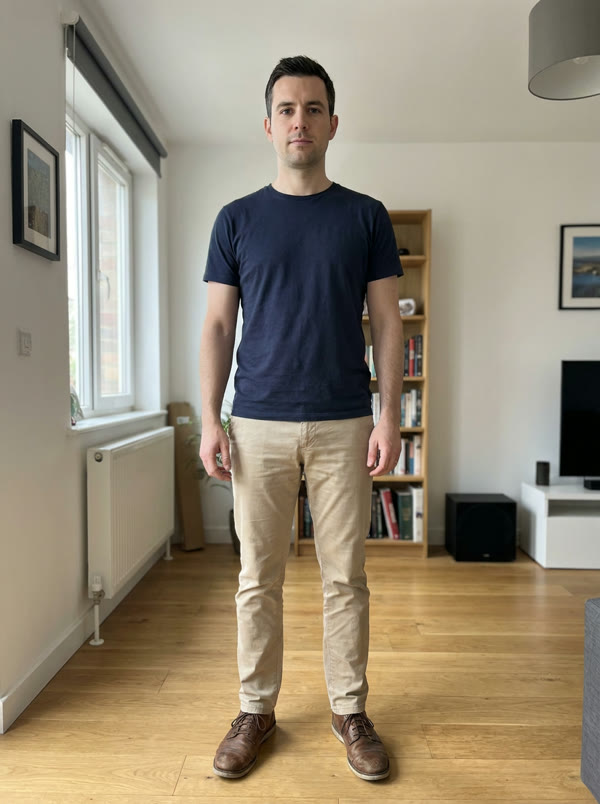
The result is a 16:9, 720p MP4 with no sound; add “BbY WOW” in the app when you post.
Which one should you use?
| You want… | Use |
|---|---|
| A free joke in the next five minutes | A CapCut template |
| The original dancer on top of your video | A green-screen template |
| You doing the dance, the bite and the stare | An AI video from one photo |
| A cartoon character doing the trend | An AI video from one photo |
| Not to dance on camera at all | An AI video from one photo |
Tips either way
- Clear photos work best: one person, good light, face visible, no sunglasses.
- Only use photos of people who said yes. No celebrities, public figures or children.
- Time the sound. Line the bite up with the “dime, dime, baby” line; that is the beat viewers wait for.
Make it from one photo — one photo, 10 credits, about 5 minutes.
More on the trend: what the Dime Dime Baby trend is and the song and how to add it, or go straight to the Dime Dime Baby AI video maker. En español: el trend del chico del pan, la canción y cómo hacerlo. Other formats going around now: this week’s AI video trends.